
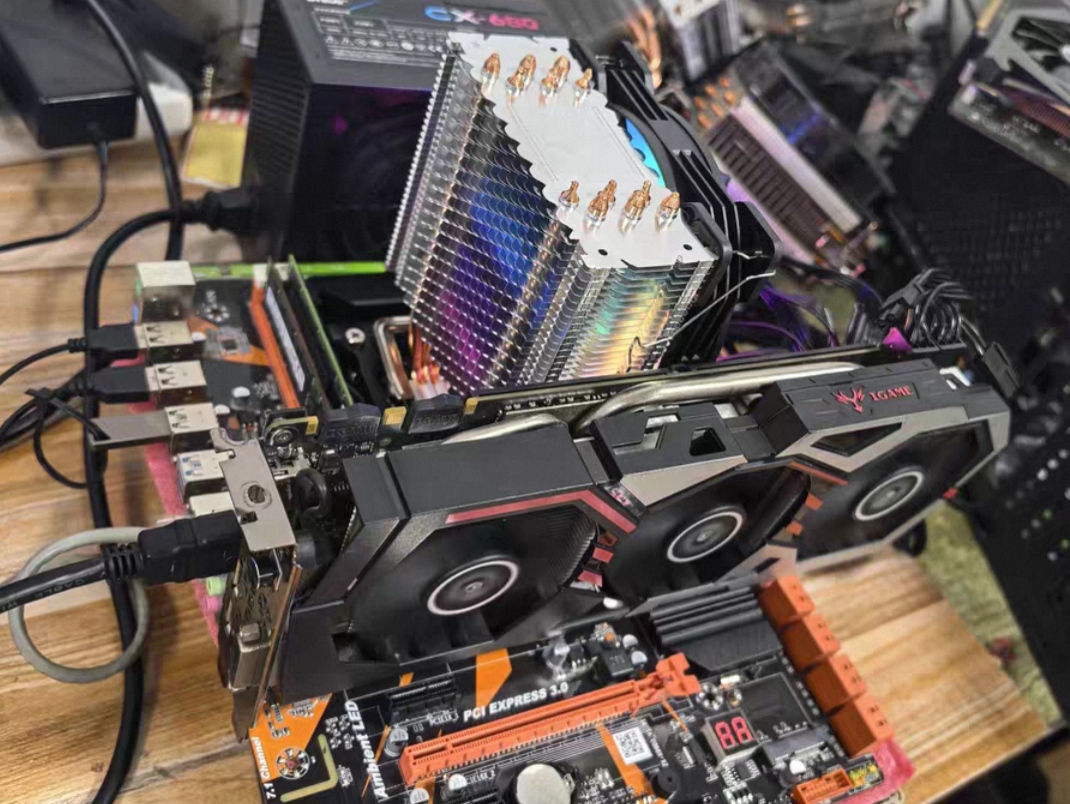
In 2026, large‑model competition has shifted from “who has the stronger model” to “who can deploy models into real‑world business and achieve positive economics”. While public‑cloud APIs offer convenience, three major pain points — data security, call costs and long‑term controllability — are driving more enterprises and individual developers toward on‑premise deployment.
This article covers the full logical chain: why deploy locally → how to deploy → how to monetize → hardware procurement pitfalls to avoid. Clear ranges are provided for all budget figures and payback periods, ready for direct reference in procurement and project approval.
I. Why On‑Premise Deployment: Five Core Advantages vs. Public‑Cloud AI
Before diving into technology and budgets, we clarify the underlying business value of on‑premise deployment. It is not merely a geek toy, but an infrastructure with well‑defined commercial logic.
| Advantage | Core Meaning | Business Value |
|---|---|---|
| ① Absolute Data Security & Privacy | Fully offline operation; conversations, code and business confidential data remain 100 % on‑local disks and memory | Eliminates risks of data leakage or unintended training‑set ingestion; supports compliance and confidentiality requirements |
| ② Zero API Fees, Unlimited Usage | No token‑based charges, no per‑query rate caps; one‑time hardware investment for perpetual use | Converts high‑frequency call costs from pay‑as‑you‑go to fixed sunk‑cost expenditure |
| ③ Build Private Knowledge Base (Local RAG) | Integrate with AnythingLLM or Dify to ingest thousands of internal PDFs, Word documents and quotation files | Build irreplaceable proprietary knowledge assets for organizational knowledge retention |
| ④ Offline Availability & High Stability | Normal responses even under no‑network or poor‑network conditions | Insulates business operations from cloud outages and regional access restrictions; guarantees business continuity |
| ⑤ High Customizability, No Over‑zealous Safety Interference | Models may be freely fine‑tuned without rigid public‑cloud safety filters | Enables usage for academic research, sensitive internal‑business and special‑analysis scenarios |
One‑sentence summary: On‑premise AI = data never leaves your environment + unlimited usage at zero marginal cost + offline capability + full freedom for customization.
II. Zero‑Code Deployment: Three‑Step Setup with Standard Open‑Source Stack
On‑premise deployment is no longer reserved for ML experts. Using the open‑source stack Ollama + AnythingLLM / Chatbox, you can run open‑source large models locally in three steps with no programming required.
Step 1: Install the underlying engine Ollama
Download and install Ollama. It runs as a background service and exposes a local API endpoint at http://localhost:11434.
Step 2: Pull open‑source large‑model weights
Run the following commands in terminal / Command Prompt, selecting models matching your hardware capacity:
# For CPU‑only computers (works on low‑end hardware)
ollama run deepseek‑r1:1.5b
ollama run qwen2.5:1.5b

# For mainstream discrete‑GPU computers (smooth user experience)
ollama run deepseek‑r1:8b
ollama run qwen2.5:7b
Step 3: Connect to a graphical UI
Install AnythingLLM Desktop or Chatbox. In application settings, set the model provider to Ollama and enter http://localhost:11434 as the API address. You can now start chat interactions and attach local documents.
The whole workflow requires zero lines of code and can be completed within 10 minutes on a typical office PC.
III. Three Validated Industry Implementation Workflows
The same technical stack scales smoothly from personal knowledge management to enterprise‑grade automation. Below are three field‑proven workflows.
Scenario 1: Offline Personal Literature Research Workflow
Local PDF / Word documents
    ↓ Drag‑and‑drop into AnythingLLM
Local vector‑database chunking & indexing
    ↓
Parsing via local Ollama model
    ↓
Generate summary reports with original‑document page‑number citations
Outcome: Hundred‑page bidding documents or research papers are parsed in seconds; precise clause lookup via natural‑language queries. Ideal for researchers, legal practitioners and bidding specialists.
Scenario 2: Enterprise‑Grade Sensitive Code & Contract Compliance Review Workflow
Financial statements / source code / employment contracts
    ↓ Operated under offline‑network environment
Dify / AnythingLLM local workflow
    ├─ Step A: Syntax validation / vulnerability scanning (Qwen2.5‑Coder)
    ├─ Step B: Risk‑clause alerting & data desensitization (DeepSeek‑R1)
    └─ Step C: Export formatted Markdown / JSON reports
Outcome: Zero‑data‑leakage under fully offline conditions. Automated preliminary screening reduces manual workload for finance, legal and R&D teams.
Scenario 3: Enterprise‑Grade Customer‑Service / Operation‑Maintenance Agent Workflow
Employee / end‑user inquiries
    ↓
Dify local API service
    ↓
Retrieval against local HR / product RAG knowledge base
    ↓
Response generation by Ollama
    ↓
If knowledge‑base match fails → auto‑escalate to human support tickets
Shared benefits across the three workflows: full local‑data closed loop · freely swappable models · visual workflow orchestration · seamless integration with existing systems via API.
IV. Commercial Monetization & ROI Payback Analysis (Key Budget Section)
This is the most critical chapter. On‑premise deployment is not merely a cost center; it is an investment with calculable returns. ROI comes from two drivers: cost reduction and revenue growth.
4.1 Cost Reduction: Indirect Payback
| Cost‑Reduction Dimension | Quantified Estimation |
|---|---|
| Replace public‑cloud API subscription expenses | For enterprises with heavy‑volume inference, a hardware outlay of 15 000 CNY typically pays for itself within 2‑3 months through saved API bills |
| Replace junior‑level human‑resource workload | One human operator paired with a knowledge‑base AI can cover workloads formerly handled by 2‑3 junior reviewers, cutting substantial labor costs |
4.2 Revenue‑Generation Monetization Models
| Monetization Model | Unit Price / Revenue Mechanism |
|---|---|
| B2B On‑Premise Delivery | 50 000‑100 000 CNY per deployment |
| Result‑as‑a‑Service (RaaS) revenue share | Revenue calculated based on tangible business outputs |
| Bulk content generation | Batch‑produce copywriting, code and design assets via local models |
| Idle‑compute rental | Rent out spare GPU capacity via platforms such as Vast.ai |
4.3 Payback‑Period Conclusion
High‑usage scenarios generally achieve positive ROI within 3 months. Payback varies by industry and inference volume. Enterprises with large existing public‑cloud API spending realize the fastest return.
V. Empowerment for B2B Foreign‑Trade Businesses: One of the Fastest‑Payback Use Cases
Foreign‑trade represents one of the highest‑ROI use cases for on‑premise AI. Core drivers: confidential client data and pricing cannot be sent to public clouds; institutional knowledge is lost when sales staff depart. Local deployment is nearly the optimal solution.
5.1 Core Cost Reductions
| Cost‑Saving Point | Practical Impact |
|---|---|
| Single local server shared across LAN | One hardware unit serves the whole company, driving extremely low per‑head costs |
| Build private knowledge base from 10 years’ quotations & HS‑code archives | Historical business know‑how is retained independently of staff turnover |
| New‑hire onboarding cycle | Reduced from 3 months to 2 weeks |
5.2 Core Revenue Gains
| Revenue‑Boosting Point | Practical Impact |
|---|---|
| 24‑hour instant inquiry replies & quotation drafting | Faster response rates directly improve conversion odds |
| Off‑line Letter‑of‑Credit (L/C) risk auditing | Automatic risky‑clause flagging lowers non‑payment risk |
| Multi‑language outbound market expansion | Native multilingual local‑model support for emerging‑market outreach |
5.3 Foreign‑Trade ROI Calculation (Key Budget Section)
A 10‑person foreign‑trade firm investing 15 000‑20 000 CNY in hardware typically achieves payback within 3 months. This is the best‑validated ROI benchmark for small‑to‑medium foreign‑trade enterprise project approval.
VI. Hardware Selection & Build Pitfall Avoidance: Four Budget Tiers Fully Covered (Key Budget Section)
Hardware selection is where most deployment mistakes occur and directly determines practical performance. Keep this golden rule in mind:
VRAM (Video RAM) defines maximum‑model capacity and runtime feasibility; system RAM governs stability; CPU is secondary.
6.1 Four‑Tier Hardware Recommendation Table
| Budget Tier | Recommended Hardware Combination | Supported Models | Generation Speed / Experience |
|---|---|---|---|
| 0 CNY (Reuse existing PC) | CPU‑only, 8 GB / 16 GB system RAM | DeepSeek‑R1:1.5b Qwen2.5:1.5b |
General‑purpose chat 10‑20 tokens / second |
| 3 000‑4 000 CNY (Cost‑effective second‑hand build) | RTX 3060 12 GB i5‑10400F + 32 GB RAM |
DeepSeek‑R1:8b Qwen2.5:14b |
Smooth mainstream performance 15‑30 tokens / second |
| 6 500‑7 500 CNY (Mid‑range new‑build sweet spot) | RTX 4060 Ti 16 GB i5‑13400F + 32 GB RAM + 1 TB NVMe SSD |
DeepSeek‑R1:8b / 14b Qwen2.5:14b |
Very fast & stable 20‑40 tokens / second |
| 20 000‑25 000 CNY (Flagship all‑round workstation) | RTX 5070 Ti 16 GB 9800X3D + 32 GB / 64 GB RAM + X870 motherboard |
DeepSeek‑R1:14b / 32b Llama3.3‑70B (quantized) |
Near‑flagship performance 40‑60+ tokens / second |
Prices reflect 2026 reference ranges; actual procurement follows real‑time market conditions.
6.2 Must‑Follow Hardware‑Build Checklist
| No. | Critical Pitfall | Rationale |
|---|---|---|
| 01 | Never skimp on VRAM | Target 16 GB VRAM minimum; avoid 8 GB‑VRAM variants — insufficient to load 14B‑parameter models |
| 02 | System RAM: 32 GB minimum | OS + local knowledge‑base workloads are memory‑heavy; reject 8 GB / 16 GB RAM configurations |
| 03 | 1 TB M.2 NVMe SSD minimum | Individual large‑model weight files range 5‑20 GB; 256 GB drives fill rapidly |
| 04 | Motherboard with four memory slots preferred | Enables future‑proof upgrade to 64 GB / 128 GB RAM |
| 05 | Avoid over‑investing in liquid cooling or high‑end CPUs | Matrix inference workloads are GPU‑bound; mainstream air cooling and mid‑tier CPUs suffice |
Remember: GPU sets performance ceiling; RAM sets stability floor; storage sets dataset capacity; CPU only needs to be adequate.
VII. Summary & Action Recommendations
The commercial logic for on‑premise AI is well‑established:
- Value Layer: Five core strengths — data security, zero marginal usage cost, private knowledge‑asset retention, offline resilience and full customizability — deliver irreplaceable infrastructure value.
- Technical Layer: The Ollama + AnythingLLM / Dify open‑source stack enables three‑step zero‑code deployment. API‑native design allows seamless integration with legacy systems.
- Scenario Layer: Three validated workflows — personal literature research, enterprise compliance review, customer‑service‑and‑Ops Agent. B2B foreign‑trade delivers the fastest‑observed payback benchmark.
- Budget Layer: Four tiers span from zero‑cost trials to 25 000‑CNY flagship hardware. SME‑grade deployments at 15 000‑20 000 CNY often return investment within 3 months.
- Hardware Guardrails: 16 GB VRAM, 32 GB system RAM, 1 TB NVMe SSD, four‑slot motherboard, adequate‑grade CPU — five non‑negotiable hardware rules.
Targeted Action Advice
- Individual developers / researchers: Start with your existing PC (0‑CNY tier), validate workflows with Ollama + 1.5B models; upgrade to the 3‑4 k second‑hand tier only after proof‑of‑concept success.
- Small‑to‑medium enterprises (~10 staff, especially foreign‑trade): Adopt the 15 000‑20 000 CNY shared‑server LAN‑deployment solution. 3‑month typical payback; highest observed ROI.
- Mid‑to‑large enterprises / high‑concurrency workloads: The flagship 20‑25 k build supports 32B‑parameter or quantized‑70B models. Pair with Dify for multi‑Agent workflow orchestration for company‑wide business support.
- B2B solution providers: Build private‑on‑premise delivery offerings on top of this open‑source stack. 50 000‑100 000 CNY per‑deal price point represents a clear‑opportunity revenue track for 2026.
Excerpted from Complete Guide to On‑Premise AI Commercial Implementation. All budgets and payback timelines represent 2026 reference ranges. Procurement decisions should reference real‑world market quotations and bespoke business‑case calculations.
发表回复